BCDR vs. Backup: Why Oklahoma Businesses Need More Than Just Data Protection

BCDR vs. Backup: Why Oklahoma Businesses Need More Than Just Data Protection

When your business grinds to a halt, every minute feels like a countdown. A server crash, ransomware attack, or even a simple power outage can throw operations off track. That’s when the real question hits: Can you bounce back quickly enough to keep customers, compliance, and revenue safe?

It’s easy to assume backups alone are enough—but that’s only part of the picture.

Backups preserve data. But they don’t restore your systems, applications, or workflows. That’s the role of a business continuity and disaster recovery (BCDR) plan. It’s the difference between simply having a copy of your data and having your entire business operational when things go wrong.


Why Backups and BCDR Must Work Together

Backups help you recover what you had. A BCDR plan ensures you can keep running.

A cyberattack can encrypt your systems. A flood can knock out your hardware. A simple misconfiguration can lock users out of critical tools. Even with perfect backups, you could still face days of downtime.

And downtime is expensive. Beyond lost revenue, it can:

  • Damage customer trust
  • Stall operations
  • Create compliance risks in industries like healthcare or legal
  • Lead to missed business opportunities

Without a BCDR plan, you’re patching holes instead of steering the ship. That’s why smart businesses in Tulsa, Oklahoma City, and across Oklahoma are adopting strategies that combine reliable backups with a robust continuity plan to protect both their data and their operations.


What a Complete BCDR Plan Includes

A strong BCDR plan doesn’t just save files—it keeps your business alive, compliant, and serving customers even when everything else falls apart.

Here’s what a complete strategy should include:

  • Reliable, tested backups
    Backups are only as good as the last time they were tested. A strong BCDR plan ensures your backups are verified under real conditions so you know they’ll work when disaster strikes.
  • System and application recovery
    Restoring files isn’t enough. Your business relies on critical systems and applications that must run smoothly around the clock. BCDR focuses on rebuilding your operational backbone so teams can get back to work quickly.
  • Failover capabilities
    When primary systems fail, you need the ability to switch to alternate infrastructure—often cloud-based—without missing a beat. Failover keeps essential services running while you repair the damage.
  • Defined roles and clear procedures
    In a crisis, hesitation is costly. A BCDR plan defines responsibilities, communication flows, and decision-making processes so every second counts toward recovery.
  • Regular testing and updates
    Cyber threats evolve, and so should your plan. Regular drills and updates keep your BCDR strategy aligned with your business needs and today’s risks.


Protect More Than Data—Protect Your Business

Backups are a starting point, but they’re not the finish line. A well-built BCDR plan turns disruption into a test you’re prepared to pass. It keeps your business resilient, compliant, and customer-focused—even when the unexpected happens.

Not sure where to begin? You’re not alone. At Nomerel, we help SMBs across Tulsa, Oklahoma City, and the region design business continuity strategies that protect more than just files. We safeguard your entire business.

Schedule a no-obligation consultation today and let’s build resilience that lasts.


If you are reading this in real time and want to find out more information about Nomerel and building a bulletproof defense for your business, sign up for our free webinar here


Windows 10 Security Updates Are Ending: What Tulsa and OKC Businesses Need to Do Now

Windows 10 Security Updates Are Ending: What Tulsa and OKC Businesses Need to Do Now

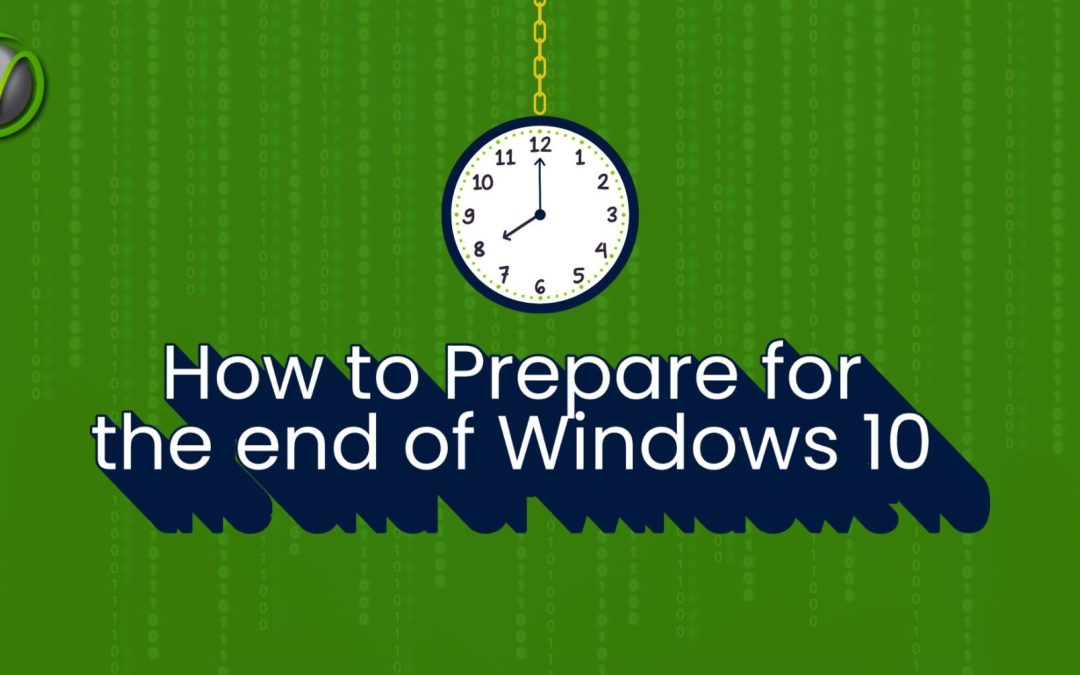
Microsoft has issued a major warning that affects more than 700 million Windows 10 users—including countless small and mid-sized businesses across Oklahoma. If your company is still running Windows 10, time is running out to stay protected.

As of October 14, 2025, Microsoft will officially end support for Windows 10. That means no more monthly security patches, fixes for new vulnerabilities, or updates to keep your systems safe. For many businesses, this could create a serious risk of downtime, data loss, and compliance violations.

If your business operates in industries like legal, healthcare, or energy, where cybersecurity and compliance are critical, this change isn’t just inconvenient—it’s urgent.  In this article, we’ll look at what this update means for your business and how you can prepare to move forward with help from Nomerel experts.


What Does This Mean for Your Business?

When support ends, any Windows 10 system still in use becomes an easy target for attackers. Without patches, every new vulnerability will remain open indefinitely. For SMBs, that could mean:

  • Cybersecurity breaches leading to data theft or ransomware attacks.
  • Compliance failures under HIPAA, PCI, or other regulations.
  • Operational disruptions caused by unpatched software vulnerabilities.

To help bridge the gap, Microsoft is offering an Extended Security Update (ESU) program.  This offering is typically reserved for enterprise customers but is being released for the first time ever to home and small business users. This gives companies up to October 2026 to prepare to upgrade to Windows 11. But the ESU is only a temporary fix, not a long-term solution.


Your Options Moving Forward

With the October deadline quickly approaching, businesses in Tulsa, Oklahoma City, and beyond need to decide quickly how to respond:

1. Upgrade to Windows 11

This is the most secure option moving forward. Windows 11 receives full updates and ongoing support. However, not all older PCs meet the hardware requirements, which may mean budgeting for new machines.

2. Enroll in Extended Security Updates (ESU)

If upgrading isn’t immediately possible, ESUs buy you some time. Options include:

  • Free enrollment if you sync with a Microsoft account and OneDrive.
  • Redeeming Microsoft Rewards points.
  • Paying $30 per year for up to 10 PCs.

This is a stopgap measure, not a permanent solution, but it may help businesses spread out the cost of upgrades.

3. Work with a Managed IT Services Partner

The most reliable way to navigate this transition is with a trusted IT partner like Nomerel, who can:

  • Audit which machines are affected.
  • Develop a phased upgrade plan that fits your budget.
  • Ensure compliance requirements are maintained during the transition.
  • Provide cybersecurity protections to reduce risks during the changeover.


Why It Matters for Oklahoma Businesses

In industries like healthcare and legal, running unsupported software isn’t just risky—it could be a regulatory violation. For SMBs, even one ransomware attack or data breach could cost thousands in downtime, recovery, and reputational damage.

At Nomerel, we help small and mid-sized businesses in Tulsa and Oklahoma City plan for technology transitions to minimize disruption. From Windows 11 upgrades to cybersecurity protections and compliance support, we make sure your IT strategy keeps you reliable and secure.

Don’t Wait Until October

The countdown is on. Windows 10’s end-of-life will be here before you know it. Whether you need help planning upgrades, managing compliance, or simply ensuring your team stays productive without interruption, Nomerel is here to help.

Schedule a consultation today and let’s build a plan that keeps your business reliable, secure, and compliant.

Photo of the author Faith Morgan

Faith Morgan

Author, Marketing Coordinator at Nomerel

Faith is a dynamic marketing professional with over 9 years of experience in content marketing, social media strategy and video production. An avid traveler and outdoor enthusiast, she draws inspiration from exploring new places, enriching her storytelling approach. At Nomerel, she enhances communication, streamlines processes, and supports the company’s mission to provide exceptional IT solutions.


Cyber Insurance and IT: What Oklahoma Businesses Need to Know

Cyber Insurance and IT: What Oklahoma Businesses Need to Know

Cyberattacks don’t send save-the-date cards. They strike fast, disrupt operations, and can cost small to mid-sized businesses in Tulsa and Oklahoma City thousands—sometimes millions—in recovery, legal fees, and lost productivity.

That’s why many organizations are turning to cyber insurance as part of their risk management strategy. But here’s the catch: not all policies provide the same level of protection, and insurers are increasingly requiring businesses to meet specific cybersecurity standards before they’ll approve a claim.

If your business operates in legal, healthcare, or energy, the stakes are even higher. Compliance requirements like HIPAA, PCI, and CMMC add another layer of complexity to your coverage—and your IT setup can make or break your insurance claim.


What Is Cyber Insurance and Why It Matters for Your Business

Cyber insurance helps offset the financial impact of digital threats such as ransomware, phishing attacks, and data breaches. Depending on your policy, coverage can include:

  • Data recovery and system restoration after an attack
  • Legal fees and regulatory fines, especially important for regulated industries
  • Customer notification and credit monitoring services
  • Business interruption coverage for lost revenue
  • Ransom payments (in certain cases)

It’s a smart investment—but simply having a policy isn’t enough. Maintaining strong cybersecurity practices is essential to keeping your coverage valid and your claims approved.


Why Cyber Insurance Claims Get Denied

The most common—and costly—mistake businesses make is assuming that a policy guarantees payment. In reality, insurers conduct detailed reviews before approving a claim. Common reasons for denials include:

  • Weak or outdated security controls
  • Missing software patches or updates
  • Poor incident documentation
  • No formal incident response plan

Insurers expect you to prove that your IT systems were secure before the attack happened. If you can’t, your claim may be denied.


How to Improve Your Cyber Insurance Readiness

Meeting your insurer’s cybersecurity requirements often means implementing the same protections every modern business should already have. That includes:

  • Multi-factor authentication (MFA) across all critical systems
  • Secure, tested backup and recovery solutions
  • Comprehensive endpoint protection and monitoring
  • Routine updates and vulnerability patching
  • A documented incident response plan
  • Regular employee training on phishing and cyber hygiene
  • Ongoing risk assessments with remediation steps

These measures not only protect your business but also make it easier to prove compliance if you ever need to file a claim.


How Nomerel Helps You Bridge the Gap

As a managed IT services provider for Tulsa and Oklahoma City, Nomerel works with small to mid-sized businesses in legal, healthcare, and energy to ensure your systems meet—and often exceed—insurer requirements. We help you:

  • Assess your current IT setup for gaps
  • Implement security measures insurers look for
  • Maintain compliance with HIPAA, PCI, and other regulations
  • Build documentation and response plans that strengthen your insurance position

Cyber insurance is only as strong as the IT foundation it’s built on. With Nomerel as your Managed Services IT partner, you can reduce risk, improve your coverage readiness, and gain peace of mind that your business is protected from both cyber threats and claim denials.  Contact us today at sales@Nomerel.com for a fresh perspective on your cyber insurance policy.


Photo of the author Faith Morgan

Faith Morgan

Author, Marketing Coordinator at Nomerel

Faith is a dynamic marketing professional with over 9 years of experience in content marketing, social media strategy and video production. An avid traveler and outdoor enthusiast, she draws inspiration from exploring new places, enriching her storytelling approach. At Nomerel, she enhances communication, streamlines processes, and supports the company’s mission to provide exceptional IT solutions.

Future-Proof Your Business: Webinar Recap on Continuity Planning & AI Strategy

Future-Proof Your Business: Webinar Recap on Continuity Planning & AI Strategy

Discover how to future-proof your business with continuity planning and AI strategy in this exclusive webinar recap from Nomerel. Our IT experts share practical steps for reducing downtime, staying compliant with industry standards, and leveraging artificial intelligence without sacrificing security.

Whether your business is in Tulsa, Oklahoma, or the surrounding region, this session will help you understand the risks of unexpected disruptions and the opportunities of AI adoption—so you can stay prepared, protected, and competitive.

Risky vs. Reliable: Why Your IT Strategy Matters More Than You Think

Risky vs. Reliable: Why Your IT Strategy Matters More Than You Think

If you’re a business owner or office manager in Tulsa or the Oklahoma City metro, chances are you’re wearing a lot of hats—and IT management may not be your favorite. But here’s the truth: your technology setup can either drive your business forward—or expose you to serious risk.

Every day, small businesses are forced to choose between two paths: risky IT practices that rely on outdated tools and reactive support, or reliable IT strategies that reduce downtime, protect data, and empower your team. Which one are you following?

Let’s break down why this choice matters—and how to make the right one for your business.

Downtime is risky. Uptime is reliable.

Even a few hours of downtime can lead to lost productivity, missed deadlines, or stalled operations. For Oklahoma legal, healthcare, and energy businesses, this isn’t just frustrating—it’s a major liability.

Relying on ad hoc tech support and DIY fixes is a risky approach. In contrast, a reliable IT strategy includes proactive monitoring, backup systems, and experienced support to keep your systems running, even when the unexpected happens.

Guessing at compliance? That’s risky.

If your business handles sensitive information (like medical records or client files), compliance with regulations like HIPAA or PCI isn’t optional—it’s critical.

An IT setup that lacks documentation, access controls, or regular audits leaves you vulnerable. That’s the risky path. A reliable IT partner helps you stay compliant by aligning your systems with industry standards and staying ahead of regulatory changes.

Cybersecurity threats don’t wait for you to catch up

Outdated antivirus software and weak passwords won’t cut it anymore. Hackers are targeting small businesses because they assume your defenses are weaker—and they’re often right.

Operating without a defined cybersecurity strategy is a huge risk. A reliable approach includes layered protection, regular updates, employee training, and incident response plans so you’re prepared, not panicked.

Surprises in your IT bill? Risky.

We hear it all the time: business owners getting blindsided by unpredictable tech bills, unexpected labor costs, or hardware purchases they didn’t plan for.

A risky IT setup has no roadmap, which means you’re constantly reacting (and overpaying). A reliable strategy gives you budget stability and clear expectations. With managed services, you can plan with confidence.

Frustrated staff = risky operations

When your team is stuck with outdated tools or waiting for slow support, it’s not just annoying—it impacts your productivity and client experience.

A risky environment forces employees to waste time on tech issues. A reliable one gives them the tools they need to focus on their work. Better IT = happier, more efficient teams.


Don’t wait for a crisis to make a change.

If your current IT support feels inconsistent, unresponsive, or unclear—that’s a red flag. The risky path might seem easier in the short term, but the long-term consequences are costly.

At Nomerel, we deliver enterprise-grade IT solutions to small and mid-sized businesses in the Tulsa and Oklahoma City metroplexes and their surrounding areas, empowering them to compete with larger organizations without the enterprise-level costs empowering them to shift from reactive to resilient IT. Whether you’re aiming to boost uptime, meet compliance requirements, or simply stop stressing over your tech, we’re here for it.

Let’s talk. Your reliable IT strategy starts with a free consultation.


Photo of the author Faith Morgan

Faith Morgan

Author, Marketing Coordinator at Nomerel

Faith is a dynamic marketing professional with over 9 years of experience in content marketing, social media strategy and video production. An avid traveler and outdoor enthusiast, she draws inspiration from exploring new places, enriching her storytelling approach. At Nomerel, she enhances communication, streamlines processes, and supports the company’s mission to provide exceptional IT solutions.