
IT Budget Planning: 4 Mistakes to Spot Before the Invoice Arrives

IT Budget Planning: 4 Mistakes to Spot Before the Invoice Arrives

Every January, the IT budget looks airtight. The spreadsheet balances, leadership signs off, and nobody thinks about technology spending again until the next review.

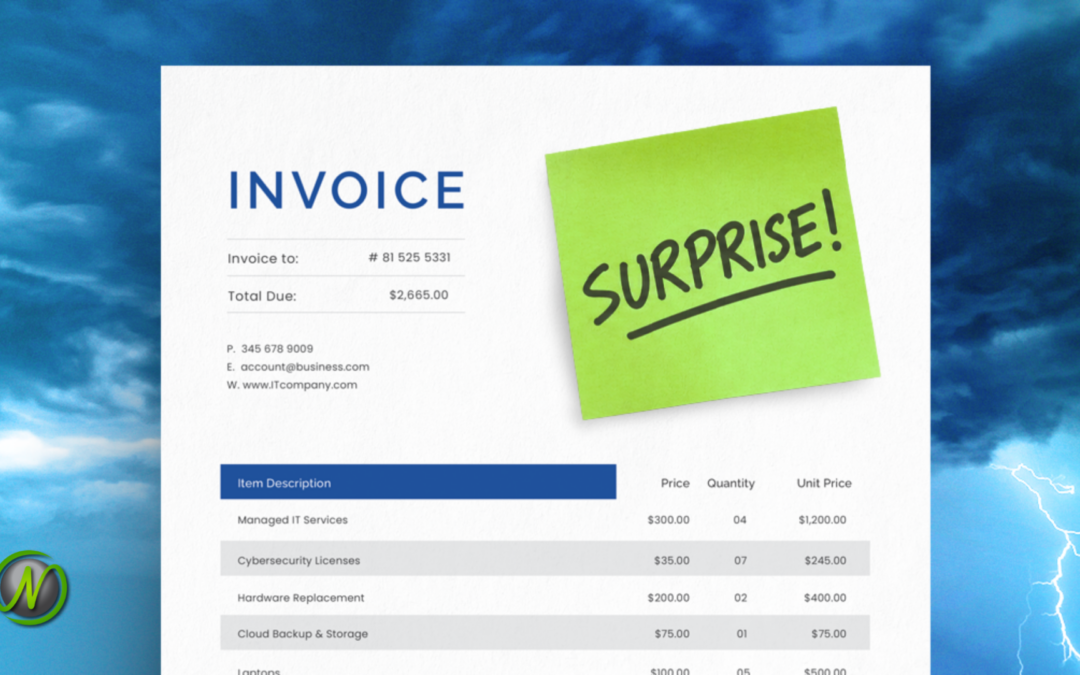
Then summer arrives. Four laptops fail within six weeks. New hires push your storage bill up. Three software renewals come in higher than last year, and you did not add a single thing.

Somebody asks the question every managed IT provider hears eventually: “Why didn’t we see this coming?”

Here is the honest answer: you cannot predict every IT expense, but you can look for warning signs before the invoice lands. Aging equipment, upcoming renewals, and growth plans give you a place to start.

The good news is that these surprises follow patterns, and patterns can be planned for. As Tulsa businesses head into budget season for 2027, these are the four mistakes worth fixing first.


1. Building Next Year’s Budget From Last Year’s Invoices

Copying last year’s spending feels safe. It is also a forecast for a business that no longer exists.

Last year’s numbers do not know you hired six people in March. They do not know about the second office, or the new contract that comes with security requirements. They are a rearview mirror: useful for checking where you have been, useless for steering.

Build next year’s budget around what is ahead: aging equipment, upcoming renewals, planned hires, and new initiatives. Identify the spending each will require before comparing the plan with last year’s totals. Those totals are a sanity check, not the starting point.


2. Treating “It Still Works” as a Replacement Plan

Every office has that one computer. The fan sounds like a leaf blower, the battery lasts twenty minutes, and opening a spreadsheet takes long enough to refill your coffee. Its owner has built a whole routine around its quirks, including never unplugging it.

“It still works” is a low bar for the machine someone uses to earn a living.

Waiting for that computer to fail leaves the timing out of your hands. If it dies on an inconvenient day, a planned expense can become a rush purchase. You may pay more for the replacement while also losing work hours.

For medical practices and community banks, there is a second problem. A computer that no longer receives security updates can become a finding in a HIPAA risk assessment or a bank exam. An old machine is not just slow. It is a compliance risk sitting on someone’s desk.

Use an equipment list with purchase dates to plan replacements before machines fail or stop receiving security updates. Put those replacements on a schedule and spread the cost across the year instead of absorbing it in one bad week.


3. Letting Renewals Run on Autopilot

Auto-renewal saves you from tracking another due date. It also keeps subscriptions alive long after anyone needed them.

Check whether you are still paying for cloud storage assigned to an employee who left two years ago or for software licenses based on last year’s headcount. Active subscriptions may still generate monthly charges even when nobody needs them. Review the associated accounts separately: a forgotten login nobody monitors can create a security gap.

Schedule a review reminder at least 60 days before each renewal date, and keep every renewal date on your calendar. At each review, answer three questions: Who uses this? Do we still need it? Is the price still fair?


4. Planning Growth and IT in Separate Meetings

Leadership holds its planning meeting in December. The IT planning meeting comes a week later, if it happens at all. By then the growth plan is set, and the person managing technology is left guessing.

Every new hire needs a laptop, licenses, accounts, and security training. A new location needs networking and backups. A hybrid schedule needs secure remote access. A government contract may add cybersecurity requirements nobody budgeted for. If those conversations happen apart, the costs will meet on an invoice when you least expect it.

Put the person who runs your technology in the room when the growth plan is written. If you work with a managed IT partner, invite them too.


What a More Predictable IT Budget Looks Like

No budget predicts everything. An ice storm can still take out a server closet, even when replacements, renewals, security needs, and growth plans sit on the same page. Planning brings those foreseeable costs into view; it does not eliminate every unexpected expense.

That is the idea behind our work as a managed IT services provider in Tulsa. Your technology should just work, securely, consistently, and without surprises. Predictable costs start with planning ahead, and a good managed IT partner does that planning with you.

Not sure what is hiding in your 2027 IT forecast? Schedule a no-obligation consultation with our team to help spot expenses before they become surprises. To get started, call 918-770-4099 or email sales@nomerel.com.

Frequently Asked Questions About IT Budget Planning

Q: Why do IT costs surprise small businesses?

A: Aging equipment, upcoming renewals, and hiring plans can create IT costs that last year’s invoices do not reveal. Copying past spending without accounting for those changes can leave a business unprepared.

Q: How can a business plan computer replacements?

A: Track purchase dates on an equipment list and use that list to set a replacement schedule. Planned replacements spread the cost out and reduce the risk of rush purchases, though unexpected failures can still happen.

Q: How can I stop paying for software I no longer use?

A: Put each renewal date on the calendar at least 60 days ahead. Before each one, confirm who uses the service, whether it is still needed, and whether the price is fair.

Q: How can I build an IT budget without relying only on last year's spending?

A: Start with aging equipment, upcoming renewals, planned hires, and new initiatives. Identify the spending each will require, then use last year’s totals as a sanity check rather than the starting point.

Q: Who should be involved in IT budget planning when a business is growing?

A: Include the person who manages your technology when leadership develops the growth plan. If you work with a managed IT partner, invite them too. Discuss planned hires, new locations, hybrid work, and any contract-related cybersecurity requirements so the budget reflects those needs.

Q: How can Nomerel help with IT budget planning?

A: Nomerel helps you assess where your IT budget is going and whether that spending supports your business goals. We identify opportunities to get more value from your technology and build a roadmap that connects future investments to your growth plans. The goal is a clear plan for what your business needs next, rather than simply repeating last year’s spending.

Rhonda Rush

Rhonda Rush

Co-author, Director of Operations at Nomerel

Rhonda serves as Director of Operations at Nomerel, where she ensures every part of the organization—from service delivery to internal processes—runs smoothly and consistently. With a strong background in business operations, human resources, and organizational leadership, Rhonda brings a thoughtful, people-first approach to maintaining high service standards and a positive company culture. She holds both PHR and SHRM-CP certifications and is known for her commitment to clear communication, accountability, and attention to detail. Simply put, Rhonda is the glue that helps hold Nomerel together and keeps everything moving in the right direction.

Faith Morgan

Faith Morgan

Co-author, Marketing Coordinator at Nomerel

Faith is a dynamic marketing professional with over 9 years of experience in content marketing, social media strategy and video production. An avid traveler and outdoor enthusiast, she draws inspiration from exploring new places, enriching her storytelling approach. At Nomerel, she enhances communication, streamlines processes, and supports the company’s mission to provide exceptional IT solutions.

Your Cybersecurity Needs an Immune System, Not a Medicine Cabinet

Your Cybersecurity Needs an Immune System, Not a Medicine Cabinet

Open the medicine cabinet in almost any house this time of year. You may find cold medicine left over from last winter, vitamins bought in bulk and forgotten, and a prescription that expired before anyone finished it.

Plenty of product, but not much of a health plan.

Many Tulsa and Oklahoma businesses have built the same kind of cabinet in their IT environment. A new threat prompts one purchase, an insurance questionnaire leads to another, and a vendor recommendation adds something else to the pile. Each decision made sense at the time, but together they leave one critical question unanswered: Is anyone making sure these protections work as a team?

The good news is that you can answer that question without becoming a security expert. October is Cybersecurity Awareness Month, making it a good time for a simple cybersecurity check-up that reveals whether your protections work together or merely sit side by side.

A cybersecurity check-up reviews the protections your business already uses, identifies gaps and unnecessary overlap, and confirms who monitors alerts and responds to threats. The goal is not more tools. It is a coordinated security plan that fits your business.

Cyber Myth: More Security Tools Mean Better Protection

It is an easy assumption. If one security product adds protection, ten should add more.

That is where the myth breaks down. Layered protection is valuable when each layer has a clear job and the layers are designed to work together. Without that coordination, a new product may duplicate something you already own. Two tools may flag the same threat while another risk goes unwatched. Nobody planned it that way; the collection simply grew over time.

Strong cybersecurity comes from a coordinated approach, not a growing list of subscriptions. A longer list can look like stronger protection. Often, it is not.

Why Healthy Cybersecurity Works Like an Immune System


Your immune system is not a shelf of individual remedies. It is a coordinated system that recognizes a problem and responds to it. Your security should work the same way.

For many businesses, security does not work that way, at least not yet. Tools are bought to solve specific problems. Employees receive policies and training. New safeguards arrive as risks change or new requirements appear. Over time, those pieces can drift apart.

That drift matters most for organizations with compliance obligations. A medical practice working under the Health Insurance Portability and Accountability Act (HIPAA), a community bank answering to examiners, and a government contractor protecting sensitive project information must do more than buy security products. Each must be able to show that its protections work together, employees understand what is expected of them, and a clear response process begins when something looks suspicious.

A policy sitting in a shared drive does not protect anyone. Neither does a tool nobody watches.

4 Questions for Your Cybersecurity Check-Up

You do not need to understand every security product your company uses. You do need clear answers to these four questions.

1. What are we using, and why?

Someone on your team or at your managed IT provider should be able to explain what each major protection does and why it is there. If nobody can give you a straight answer, start digging.

2. Where do our protections overlap, and where are the gaps?

Overlap is not automatically a problem. Sometimes it is intentional. The real question is whether your setup was designed that way or just grew over time without much coordination.

3. Who is making sure everything works?

A tool can send alerts around the clock, but that helps very little if nobody reads them at 2 a.m. or knows what should happen next. Someone must be responsible for monitoring alerts, deciding what matters, and escalating suspicious activity before it becomes a larger problem.

4. When did we last re-evaluate what we need?

Businesses change. People join and leave. New applications show up. Teams work differently than they did two years ago. Protection that fit your business when it was installed may not fit it today.

How a Tulsa Managed IT Partner Connects Your Cybersecurity

In our experience, many small businesses struggle to see the full picture because no one has stepped back to review how every protection fits together. That is difficult to do from the inside, especially when you are focused on running the business.

As a managed IT services partner based in Tulsa, Nomerel helps organizations like yours turn disconnected protections into a coordinated plan. We assess what is already in place, identify unnecessary overlap and overlooked gaps, and determine whether your safeguards still fit the way your business operates and the compliance requirements you face. From there, we help you prioritize practical improvements that prevent problems instead of merely reacting to them.

Think of it as a cybersecurity check-up for your business. No jargon, and no pile of new products unless you truly need one.

Schedule a 10-minute discovery call to identify the first questions your cybersecurity check-up should answer.

Call our team at 918-770-4099 or email sales@nomerel.com to pick a time. You can also learn more at nomerel.com.

Frequently Asked Questions About Cybersecurity Check-Ups:

Q: Do more cybersecurity tools make a business safer?

A: Not by themselves. Tools protect a business only when each one has a clear purpose, someone manages it, and it works with the others. Unmanaged overlap adds cost and complexity without adding protection.

Q: How can a business tell if it has cybersecurity gaps?

A: Ask four questions: what are we using and why, where do protections overlap and where are the gaps, who makes sure everything works, and when did we last re-evaluate what we need. If nobody can answer clearly, a review is due.

Q: How often should a small business review its cybersecurity?

A: Review it whenever the business changes in a meaningful way, such as when staff, applications, operating practices, or compliance requirements change. Even without a major change, an annual review is a practical baseline for checking whether protections still fit the business.

Q: What should a cybersecurity check-up include?

A: A cybersecurity check-up should inventory your current protections, clarify what each one does, identify unnecessary overlap and overlooked gaps, confirm who monitors alerts, and verify that your safeguards still match your operations and compliance requirements.

Q: Why is cybersecurity tool overlap a problem?

A: Intentional overlap can strengthen protection, but unplanned duplication can increase cost and complexity without reducing risk. The goal is to make sure every tool has a clear purpose and works as part of a coordinated system.

Q: How can a managed IT partner improve cybersecurity?

A: A managed IT partner can assess existing protections, identify gaps and unnecessary overlap, align safeguards with business and compliance needs, monitor alerts, and help create a practical plan for preventing and responding to threats.

Rhonda Rush

Rhonda Rush

Co-author, Director of Operations at Nomerel

Rhonda serves as Director of Operations at Nomerel, where she ensures every part of the organization—from service delivery to internal processes—runs smoothly and consistently. With a strong background in business operations, human resources, and organizational leadership, Rhonda brings a thoughtful, people-first approach to maintaining high service standards and a positive company culture. She holds both PHR and SHRM-CP certifications and is known for her commitment to clear communication, accountability, and attention to detail. Simply put, Rhonda is the glue that helps hold Nomerel together and keeps everything moving in the right direction.

Faith Morgan

Faith Morgan

Co-author, Marketing Coordinator at Nomerel

Faith is a dynamic marketing professional with over 9 years of experience in content marketing, social media strategy and video production. An avid traveler and outdoor enthusiast, she draws inspiration from exploring new places, enriching her storytelling approach. At Nomerel, she enhances communication, streamlines processes, and supports the company’s mission to provide exceptional IT solutions.

Cybersecurity Myth Busters: 6 Things Tulsa Businesses Still Get Wrong

Cybersecurity Myth Busters: 6 Things Tulsa Businesses Still Get Wrong

October is Cybersecurity Awareness Month, which makes it a good time to ask a practical question: how much of what you “know” about protecting your business is still helping it work securely, consistently, and without surprises?

Some security advice has been passed around Tulsa break rooms and board meetings for so long that nobody questions it anymore. It sounds right. It gets repeated. And a surprising amount of it stopped being true years ago.

That matters because outdated assumptions create blind spots, and blind spots are exactly what attackers go looking for. For a medical practice in Broken Arrow, a community bank in Oklahoma City, or a subcontractor bidding on Department of Defense work, those gaps can become more than security problems. They can turn into a HIPAA violation, an examiner finding, or a failed CMMC assessment.

The good news? Most of these gaps close quickly once you can see them. As a managed IT provider working with Oklahoma businesses every day, Nomerel hears the same six cybersecurity myths from leaders who are trying to do the right thing with limited time and resources. Here is the truth behind each one.


Myth 1: “We Are Too Small to Be a Target”

This is the myth we hear most often, and it is the one attackers count on.

Most cybercriminals are not hand-picking victims. They use automated tools to scan the internet for weak passwords, unpatched systems, and exposed logins, then go after whatever turns up. A 12-person clinic in Shawnee can show up in those scans the same way a hospital system does, usually with fewer defenses in place.

Small businesses also hold things worth stealing: patient records, client financial data, bank account access, and trusted connections to larger customers and vendors. For a government subcontractor, your network can be the side door into a prime contractor’s systems.

The fact: Attackers choose targets based on opportunity, not size.

Myth 2: “Our Employees Can Spot a Phishing Email”

Remember when phishing emails were easy to catch? The broken English, the strange sender address, the overseas prince with an urgent inheritance. Those days are mostly gone.

Attackers now use AI to write clean, personalized messages that mention real vendors, real projects, and sometimes real coworkers by name. Grammar is no longer a reliable warning sign. Behavior is.

Teach your team to stop and verify any time a message asks them to:

  • Change payment or banking instructions
  • Share patient, client, or login information
  • Sign in through a new or unfamiliar link
  • Act fast on a request that feels out of character for the sender

If something feels off, pick up the phone and call the sender at a number you already have. Not the one in the email.

The fact: A convincing email can still be a scam.

Myth 3: “MFA Means Our Accounts Are Fully Protected”

Multi-factor authentication (MFA) asks for a second proof of identity, like a code or a phone prompt, on top of your password. It is one of the best defenses a business can turn on. It is not bulletproof.

One common trick is called MFA fatigue, or “prompt bombing.” An attacker who already has a stolen password triggers login approvals over and over, often late at night, betting that a tired employee will tap “Approve” just to make the buzzing stop. Other attacks skip the prompt entirely by hijacking a login session that is already active. We broke this down in The Attack That Bypasses MFA Entirely.

Think of MFA as a deadbolt. You want one. You also want to know who has keys, and you want an alarm that tells you when someone tries the lock at 2 a.m. Stronger options like number matching and phishing-resistant passkeys, paired with monitoring for unusual sign-ins, close the gaps that basic MFA leaves open.

The fact: MFA works best as one layer of a broader security strategy.

Myth 4: “We Have Backups, So We Are Covered”

Try a quick gut check. If ransomware locked every computer in your office tomorrow morning, how long would it take to get back to work? An hour? A week? Do you know?

Plenty of businesses find out at the worst possible moment. The backup job had been failing quietly for months. Or the backup sat on the same network and got encrypted along with everything else. Or the data was there, but restoring it took four days nobody had planned for.

A backup you have never tested is a hope, not a plan. Test restores on a regular schedule, keep at least one copy isolated from your network, and know your realistic recovery time before an attacker or an Oklahoma ice storm forces the question. Our post on BCDR vs. backup explains the difference in more detail.

The fact: Having backups is not the same as being able to recover.

Myth 5: “Cybersecurity Is IT’s Job”

Your IT team or managed IT partner carries a lot of the load. Firewalls, patching, monitoring, and access controls all live with them. But no IT team can control every click made by the front desk, the billing office, or a project manager answering email from a job site.

One rushed click can undo a lot of good security work. That is why security awareness training matters. When employees know what to watch for and feel comfortable asking “is this legit?” before they act, they stop being the weak link and start acting as an early warning system.

For healthcare, financial, and defense contractor organizations, documented training is also a compliance requirement under frameworks like HIPAA and CMMC. Skipping it is not just risky. It shows up in audits.

The fact: Every employee is part of your security defenses.

Myth 6: “We Will Know What to Do If Something Happens”

It is Tuesday morning. Three employees cannot open their files, a strange message is sitting on the receptionist’s screen, and everyone is waiting for someone else to make the first call.

In that moment, many teams realize nobody has answered the basic questions:

  • Should employees shut down their computers or leave them on?
  • Who calls IT, and who calls the cyber insurance carrier?
  • How does the team communicate if email is down?
  • Who talks to patients, clients, or customers, and what do they say?
  • What has to be reported, and to whom, under HIPAA, banking regulations, or your DoD contract?

An incident response plan answers those questions in advance, while everyone is calm. It assigns roles, lists phone numbers, and spells out the first hour. Then you practice it, the same way you would run a tornado drill. The NIST incident response framework is a solid place to start.

The fact: Your response plan should not debut during an actual incident.

Cybersecurity Myths Are Comfortable. Facts Protect You.

Myths are comfortable. They let you feel covered without digging any deeper. But most of the security gaps we find in Oklahoma businesses do not come from a missing product. They come from an assumption nobody checked.

As a managed IT services provider based in Tulsa, Nomerel helps healthcare practices, financial institutions, and government contractors replace assumptions with evidence. That means monitored systems, tested backups, MFA configured the right way, training your team will remember, and an incident response plan built around your compliance requirements. Your technology should support the work, protect the business, and just work: securely, consistently, and without surprises.

If any of these myths sounded familiar, start with a short conversation. Schedule a free 10-minute discovery call, and Nomerel will help you separate what is protecting your business from what only feels like protection. Call 918-770-4099 or email sales@nomerel.com to book yours.

Frequently Asked Questions:

Q: Are small businesses really targets for cyberattacks?

A: Yes. Most attackers use automated tools that scan for weak passwords and unpatched systems regardless of company size. Small businesses are often easier to break into because they have fewer layers of protection.

Q: Does MFA stop all account takeovers?

A: No. MFA blocks many attacks, but techniques like MFA fatigue and session hijacking can get around basic setups. Number matching, phishing-resistant passkeys, and sign-in monitoring make MFA much harder to defeat.

Q: How often should a business test its backups?

A: Test restores on a regular schedule, and always after major system changes. A test is the only way to confirm the data is usable and to know how long recovery will truly take.

Q: What should an incident response plan include?

A: Who makes decisions, who contacts IT and your cyber insurance carrier, how the team communicates if email is down, who speaks to clients, and what must be reported under regulations like HIPAA or CMMC.

Q: How can Nomerel help my business improve its cybersecurity?


A: Nomerel can help your business identify security gaps before they become costly problems. From managed IT services and continuous monitoring to employee security awareness training, backup and disaster recovery planning, MFA implementation, and incident response preparation, Nomerel builds cybersecurity programs that align with your business goals and compliance requirements. Whether you’re a healthcare provider navigating HIPAA, a financial institution facing regulatory scrutiny, or a government contractor preparing for CMMC, Nomerel helps you stay secure, compliant, and productive.


Rhonda Rush

Rhonda Rush

Co-author, Director of Operations at Nomerel

Rhonda serves as Director of Operations at Nomerel, where she ensures every part of the organization—from service delivery to internal processes—runs smoothly and consistently. With a strong background in business operations, human resources, and organizational leadership, Rhonda brings a thoughtful, people-first approach to maintaining high service standards and a positive company culture. She holds both PHR and SHRM-CP certifications and is known for her commitment to clear communication, accountability, and attention to detail. Simply put, Rhonda is the glue that helps hold Nomerel together and keeps everything moving in the right direction.

Faith Morgan

Faith Morgan

Co-author, Marketing Coordinator at Nomerel

Faith is a dynamic marketing professional with over 9 years of experience in content marketing, social media strategy and video production. An avid traveler and outdoor enthusiast, she draws inspiration from exploring new places, enriching her storytelling approach. At Nomerel, she enhances communication, streamlines processes, and supports the company’s mission to provide exceptional IT solutions.