
5 Things Oklahoma Business Owners Can Automate with AI — and Finally Take That Vacation

5 Things Oklahoma Business Owners Can Automate with AI — and Finally Take That Vacation

You have been putting off that vacation for months.

Not because you do not want to go. But because every time you think about stepping away, the same questions come up. Who handles the emails? What happens if a client needs something urgent? Will the team follow the right processes without you there to oversee them?

For business owners managing compliance obligations – whether that means HIPAA requirements at a medical practice, regulatory standards at a community bank, or government contractor compliance requirements across a construction or energy operation – stepping away feels like adding risk to an already demanding environment.

The good news is that this is fixable. And AI is one of the fastest ways to fix it.

Not AI in the abstract sense. AI in the practical, available-right-now sense. Tools like Microsoft Copilot work inside the applications your team already uses every day. When paired with the right managed IT services, Tulsa businesses can rely on these tools to help repetitive and predictable work move forward without your constant involvement. Compliance-sensitive communications stay consistent. Status gets tracked. Follow-ups happen automatically. And you get closer to a vacation you can enjoy without checking your phone every 20 minutes.

Here are five tasks to automate first.


1. Routine Email Responses

If you still personally draft replies to the same basic questions week after week, that is time and attention that belongs somewhere else.

Most inboxes contain far less variety than they appear to. Status requests, basic inquiries, next-step confirmations, and routine follow-up questions cycle through continuously dressed up in slightly different wording each time. Every reply feels quick in the moment, but collectively they consume hours each week and keep you tethered to your inbox regardless of what else demands your focus.

For organizations in compliance-heavy environments, email consistency matters beyond just efficiency. A medical practice responding to patient inquiries, a community bank fielding member questions, or a government contractor managing vendor communications all carry the implicit requirement that responses stay accurate, appropriate, and on-brand every time – not just when a senior person happens to be available to write them.

Microsoft Copilot in Outlook can generate draft responses based on the content of the incoming message, the context of the conversation thread, and the tone your organization uses. Your team reviews, adjusts if needed, and sends. Responses stay consistent. Nothing falls through the cracks when you step away. And the inbox stops hijacking the first hour of every morning.


2. Meeting Summaries and Action Items

Think about how many hours your team spends each week in meetings – and then how many more hours go toward trying to remember what was decided, who owns what, and what needs to happen before the next check-in.

Someone takes notes. Those notes sit in a document nobody revisits. Action items get missed. Follow-up emails get written from memory, sometimes days later. For organizations operating under compliance frameworks, such as HIPAA-covered medical groups, FDIC-regulated financial institutions, or government contractors subject to audit, undocumented decisions and missed action items are not just an efficiency problem. They create accountability gaps.

Microsoft Copilot in Teams can record, transcribe, and summarize meetings automatically when those features are enabled in your Microsoft 365 environment. When a call ends, Copilot produces a structured recap that includes key discussion points, decisions made, and a clear list of action items with the names of the people responsible for each one. For a PACE organization coordinating care across multiple providers, or a credit union running regular compliance review meetings, this creates an automatic written record of what was discussed and agreed upon without anyone spending time building it manually.

Every meeting produces documentation. Your team leaves with clear ownership of next steps and you stop serving as the person who follows up to confirm that nothing was forgotten.


3. Internal Follow-Ups and Project Reminders

Here is a question worth sitting with: how much of your week goes toward following up on work that is already in progress?

Checking on deadlines. Asking for updates. Nudging projects forward that have gone quiet. For many business owners across Oklahoma, Texas, Missouri, Kansas, and Arkansas — particularly those managing compliance programs, policy updates, or audit preparation — this follow-up burden is significant and largely invisible until someone adds it up.

AI tools like Microsoft Copilot can help surface outstanding tasks, flag items that have not moved, and generate follow-up messages that keep work on track without you manually chasing it. For a government contractor managing multiple project workstreams alongside compliance documentation requirements, or a medical group coordinating across providers and administrative staff, this means fewer things fall through the cracks — and accountability for keeping things moving does not default to whoever is most senior.

Work moves forward on its own momentum. You step in when something requires a real decision, not when something simply needs a reminder to happen.

This shift is one of the most meaningful steps toward genuine vacation readiness. When the team does not need you to keep projects moving, a week away stops feeling like a risk to operations or compliance standing.


4. Data Summaries and Status Reports

Most business owners and operations managers do not have a data problem. They have an access problem.

The information needed to understand what is happening across the organization exists. It lives in multiple systems, formatted differently across each one, and requires manual effort to pull together into something actionable. The weekly status check that should take five minutes takes thirty – and often still leaves questions unanswered.

For compliance-focused organizations, this problem carries additional weight. A community bank tracking regulatory reporting deadlines, a hospice organization monitoring care documentation completion rates, or a government contractor managing compliance milestones across multiple projects all need accurate, timely status information — and the cost of that information being late or incomplete is higher than it would be in a less regulated environment.

Microsoft Copilot in Excel can analyze data, identify patterns, and generate plain-language summaries without requiring manual formula work or custom report building. You get the information needed to make decisions in a fraction of the usual time. More importantly, automated reporting makes it possible to stay informed without staying constantly involved — which means you can be aware of what is happening across your organization from anywhere, including from a place with no signal and no agenda.


5. First Drafts of Outgoing Communications

Starting from a blank page takes longer than most people account for. Policy updates, client communications, compliance notices, internal announcements, and project briefings – the writing itself rarely takes that long once it is underway. Getting started is where the time goes.

That delay is one of the most common and underestimated time drains in any organization, and it is one of the easiest places for AI to step in. Microsoft Copilot in Word and Outlook can generate structured first drafts based on a brief prompt. Give it the purpose, the audience, and the key points to cover, and it produces a working draft your team can review, adjust, and send – without staring at an empty document for 20 minutes first.

For a medical practice drafting patient-facing communications, a financial institution preparing member notices, or a government contractor developing project status summaries for a compliance file, this removes the blank-page barrier without removing the human review that compliance-sensitive communications require.

Your team stays in full control of what goes out. They simply stop spending energy on the part that should not require their attention in the first place.


The Real Goal Is Not Efficiency – It Is Freedom

These five tasks share something beyond the fact that AI handles them well.

Each one currently requires your presence, your attention, or your follow-through to move forward. And each one, when automated, gives you back a piece of your week — while also reducing the compliance and operational risk that comes from processes depending too heavily on any single person being available.

That is what vacation-ready looks like. Not a business that pauses when you step away, but an organization where the right things keep happening because the right systems are in place to make them happen consistently and efficiently – without requiring your constant involvement.

For organizations across Oklahoma, Texas, Missouri, Kansas, and Arkansas operating in compliance-driven sectors, that kind of operational resilience is not just a quality-of-life benefit. It is a sign of a well-run organization that can demonstrate consistent processes regardless of who is in the building on any given day. It is also where a local managed IT partner like Nomerel can help align AI automation that organizations need to operate with confidence.


Want to See What This Looks Like in Practice?

Earlier this year, Nomerel hosted a live webinar – “AI That Works: How to Get Real Results with Microsoft Copilot” – where our team walked through exactly how Copilot works inside a real business workflow. The session covered practical prompts that get useful results, live demonstrations inside Outlook, Teams, Word, and Excel, the honest limitations of Copilot and what still requires human judgment, and how Copilot keeps your business data secure compared to public AI tools.

If your team has Microsoft 365 and has not yet put Copilot to work, this is the most practical place to start – especially if you are evaluating IT services, AI automation, or managed IT services Tulsa businesses can use to improve consistency, security, and operational resilience.

Watch the Microsoft Copilot Webinar Replay

Ready to talk through how AI fits into your specific organization? Contact Rhonda Rush to schedule a no-pressure consultation at Rhonda.Rush@Nomerel.com or call (918) 770-4099.


Coming Up: Cybersecurity for Non-Experts — Free Live Webinar, June 24th

AI automation can give your team the capacity to keep things running when you step away. But none of that matters if a single phishing email, a weak password, or an unmonitored access point puts your business at risk while you are gone.

That is exactly what Nomerel is covering in our next free live webinar.

Cybersecurity for Non-Experts is a 60-minute session built for small business owners, office managers, and anyone who has ever felt like cybersecurity is overwhelming, confusing, or someone else’s job. No technical background required.

Nomerel experts will walk through the five practical steps any business can take this week to reduce risk, how to recognize a phishing email before someone on your team clicks the wrong thing, and exactly what to do — and who to call — if something goes wrong.

For organizations in compliance-driven sectors across Oklahoma, Texas, Missouri, Kansas, and Arkansas, this session covers the human side of cybersecurity — the habits, awareness, and response plans that technology alone cannot replace.

  • Date: Wednesday, June 24th
  • Time: 11:00 AM – 12:00 PM CST
  • Location: Online via Microsoft Teams

Frequently Asked Questions:

Q: How does AI automation help compliance-driven organizations?

A: AI tools like Microsoft Copilot help compliance-driven organizations maintain consistent communications, create automatic documentation of meetings and decisions, track outstanding tasks, and generate accurate status reports — all of which support audit readiness and reduce the risk of gaps that stem from manual, person-dependent processes.

Q: Is Microsoft Copilot appropriate for regulated industries like healthcare and financial services?

A: Yes. Unlike public AI tools, Microsoft Copilot operates within your existing Microsoft 365 environment under Microsoft’s enterprise security and compliance framework. Your organization’s data does not train public AI models, and Copilot works within the access controls and permissions already established in your Microsoft 365 tenant.

Q: What compliance sectors benefit most from AI automation tools?

A: Medical organizations subject to HIPAA, financial institutions regulated by the FDIC or NCUA, and government contractors operating under federal compliance frameworks all benefit significantly from AI automation — both in terms of operational efficiency and the consistency of documentation that compliance programs require.

Q: How does automating repetitive tasks reduce compliance risk?

A: When processes depend on specific individuals being available to execute them, compliance programs become vulnerable to gaps during absences, turnover, or high-demand periods. AI automation removes that dependency by ensuring consistent execution of routine tasks regardless of who is available — which supports both audit readiness and operational continuity.

Q: How can Nomerel help compliance-driven organizations implement AI automation and managed IT services?

A: Nomerel helps medical practices, financial institutions, government contractors, and other compliance-driven organizations across Oklahoma, Texas, Missouri, Kansas, and Arkansas evaluate how AI tools like Microsoft Copilot fit their existing environment and compliance requirements. As a local provider of managed IT services Tulsa businesses trust, Nomerel can also help align AI adoption with secure Microsoft 365 configuration, workflow planning, and ongoing IT Services support. Contact Rhonda Rush at Rhonda.Rush@Nomerel.com or call (918) 770-4099 to schedule a consultation.

Rhonda Rush

Rhonda Rush

Co-author, Director of Operations at Nomerel

Rhonda serves as Director of Operations at Nomerel, where she ensures every part of the organization—from service delivery to internal processes—runs smoothly and consistently. With a strong background in business operations, human resources, and organizational leadership, Rhonda brings a thoughtful, people-first approach to maintaining high service standards and a positive company culture. She holds both PHR and SHRM-CP certifications and is known for her commitment to clear communication, accountability, and attention to detail. Simply put, Rhonda is the glue that helps hold Nomerel together and keeps everything moving in the right direction.

Faith Morgan

Faith Morgan

Co-author, Marketing Coordinator at Nomerel

Faith is a dynamic marketing professional with over 9 years of experience in content marketing, social media strategy and video production. An avid traveler and outdoor enthusiast, she draws inspiration from exploring new places, enriching her storytelling approach. At Nomerel, she enhances communication, streamlines processes, and supports the company’s mission to provide exceptional IT solutions.
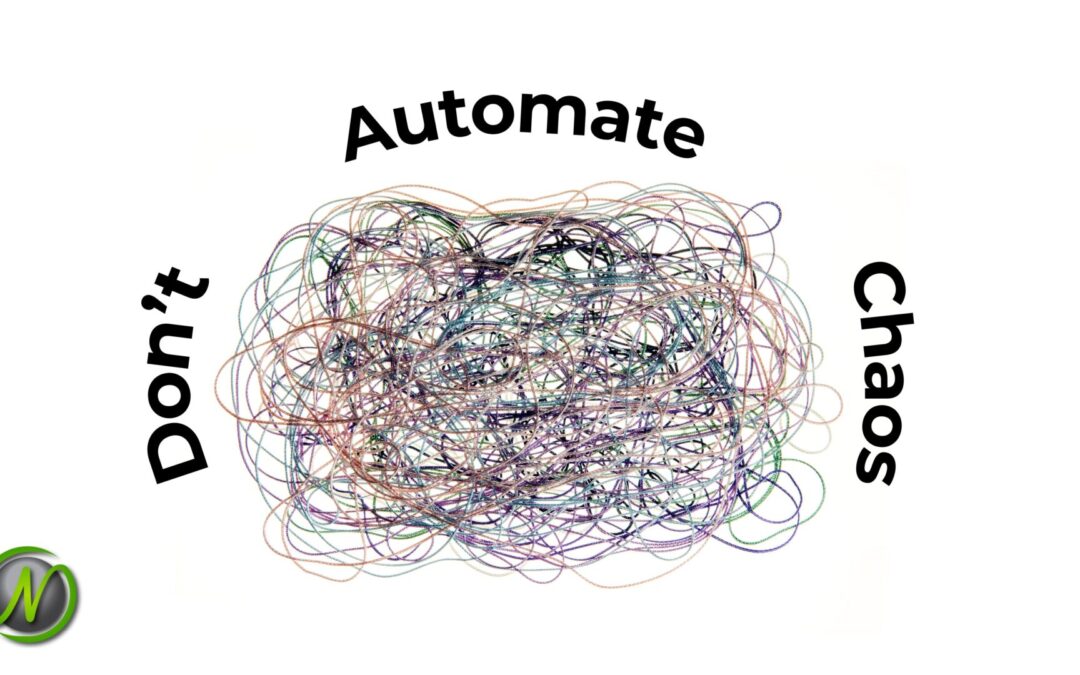
Don’t Automate Chaos: Preparing Your Systems for AI

Don’t Automate Chaos: Preparing Your Systems for AI

A QuickBooks survey found that 68% of U.S. small businesses now use AI regularly — up from 48% just a year ago. At the same time, only 8% of businesses have reached an advanced level of AI adoption with a clear strategy in place. That gap tells the real story: most businesses are adopting AI before they’re ready.

Across Tulsa, Oklahoma City, and other growing markets, small and mid-sized businesses are feeling increasing pressure to implement AI tools quickly. Many are already experimenting—but without a clear foundation in place.

The more important question isn’t whether you’re using AI—it’s whether your business is prepared for it.

AI works best inside an organized, well‑run business. It doesn’t fix broken systems or unclear processes. It runs on whatever foundation already exists—and if that foundation has cracks, AI will expose them faster.

Before deciding where AI fits into your business, it’s worth understanding what it does well, where it falls short, and what needs to be in place for it to work.


What AI Can and Can’t Do

Used well, AI helps small and mid‑sized businesses move faster with the resources they already have. It can:

  • Automate repetitive tasks
  • Draft communications
  • Identify patterns in business data
  • Reduce manual handoffs that slow down workflows

For businesses supported by managed IT services, these efficiencies can be even more impactful—because systems are already structured to support automation.

But AI has limits.

AI doesn’t fix disorganized systems. It doesn’t understand your business priorities without context. And it doesn’t create structure where none exists.

It works within the systems you already have—for better or worse.

AI amplifies your systems. It doesn’t organize them.

What Happens When You Automate Chaos

When AI is layered into a business that isn’t operationally ready, the impact isn’t always immediate—or obvious. Instead of one major failure, performance often declines in quieter ways.

Existing issues don’t disappear. They accelerate.

In practice, that often looks like:

  • AI pulling from inconsistent or duplicate data, leading to unreliable outputs
  • New AI tools being added to already overlapping or redundant systems
  • Employees adopting their own tools without guidelines (“shadow AI”)
  • Sensitive data entering AI systems without clear security guardrails

For many small businesses in Tulsa and Oklahoma City, this happens when AI tools are added on top of an already fragmented software stack.

The result is predictable: more complexity, conflicting information, workflow friction, increased security risk, and rising software costs with little oversight.

Automation without structure doesn’t improve operations—it magnifies the chaos.


Signs Your Business Isn’t Ready for AI

AI readiness isn’t about company size or budget. It’s about whether your systems and workflows are structured enough to support automation.

You may need to pause and reassess if:

  • You haven’t reviewed your technology stack in over a year
  • Employees rely on spreadsheets outside your core systems to get work done
  • Multiple platforms serve similar purposes with no clear distinction
  • User access and permissions haven’t been reviewed recently
  • You’re unsure which features in your current tools are being used
  • Workarounds have quietly become your default processes

These are common challenges we see when businesses begin exploring AI before aligning their systems—especially without the support of a managed services Tulsa provider or internal IT strategy.

If your systems aren’t aligned, AI will scale inefficiencies—not solve them.

Not sure where you stand?  Take our free AI readiness assessment to evaluate your current systems before adding more complexity. → nomerel.com/ai-readiness-assessment


What Getting Ready for AI Actually Looks Like

Preparing for AI doesn’t require a massive investment or a full technology overhaul. It starts with clarity.

For most small businesses, AI readiness means:

  • Mapping core workflows to identify where automation can genuinely help
  • Aligning tools with how your business operates today—not how it used to
  • Eliminating redundant systems that create confusion and overlap
  • Reviewing user access and strengthening security controls
  • Organizing data so AI can work with accurate, consistent information
  • Fully leveraging features in tools you already own

This is where managed IT services can play a critical role—helping businesses clean up, align, and optimize their systems before introducing automation.

AI performs best in clean, structured environments. The businesses seeing real results from AI adoption are the ones that focus on their foundation first.


A Smarter Approach to AI Adoption

Effective AI adoption isn’t about rushing to implement the newest tools. It’s about making intentional decisions based on real business needs.

A practical approach starts with:

  • Evaluating your current systems and workflows
  • Identifying where AI can deliver measurable value
  • Recognizing where AI may introduce unnecessary complexity
  • Ensuring security and data governance are in place before automation begins

For many organizations, this process starts with a technology performance reviewoften guided by a trusted IT partner.

Whether you’re working with internal resources or a Tulsa or Oklahoma City managed IT services provider, the goal is the same: understand your environment before adding to it.

No hype. No forced upgrades. Just a clear understanding of where your business stands.


What It Looks Like When You Get It Right

When AI is introduced into a well‑structured business, the results are consistent and sustainable:

  • Productivity improves because automation runs on clean, reliable data
  • Repetitive work is reduced without creating confusion or ownership gaps
  • Business insights become more valuable because the data is accurate
  • Security risks stay controlled because governance is built in from the start
  • Growth becomes easier to manage because your systems can support it

The strongest AI strategies don’t move the fastest. They build the right foundation first.


Build the Foundation Before You Build on Top of It

AI can significantly improve how your business operates—but only if it’s enhancing systems that already work.

The businesses that benefit most from AI don’t start with tools. They start with alignment.

That doesn’t mean waiting indefinitely. It means starting with a clear understanding of where your systems stand today—and what needs to be strengthened before adding automation.


Is Your Business Ready for AI?

AI can add real value—but only when your systems are ready to support it.

If you’re not sure where your business stands, the best place to start is with a clear, objective look at your current environment. Understanding what’s working, what’s not, and where gaps exist can help you avoid costly missteps before adding automation.

Take our free AI Readiness Assessment to get a quick snapshot of your current systems:
Take the Free Assessment

For a more in-depth review, schedule a technology performance review with the Nomerel team. We’ll help you identify opportunities, reduce complexity, and build a solid foundation for AI adoption. Contact Rhonda Rush to get started at rhonda.rush@nomerel.com or 918-213-3436.


Frequently Asked Questions:

Q: Do small businesses really need to worry about AI readiness?

A:Yes. Many small businesses start using AI tools without realizing their current systems may not be organized enough to support them. AI amplifies whatever is already in place—so if there are gaps in your workflows, data, or security, those issues can grow quickly.


Q: What is AI readiness for a small business?

A: AI readiness means your systems, data, and workflows are structured in a way that allows AI tools to work effectively. This includes having organized data, clear processes, aligned software systems, and proper security controls in place.


Q: Can AI improve my business if my systems aren’t fully organized?

A:In most cases, no. AI may provide short-term gains, but it often creates more complexity if your systems aren’t aligned. Businesses typically see the best results when they clean up and optimize their technology environment before adding automation.


Q: What are the biggest risks of using AI too early?

A: Common risks include:

  • Inaccurate or inconsistent outputs due to messy data
  • Duplicate or unnecessary tools creating confusion
  • Security risks from unclear data usage policies
  • Employees using AI tools without guidelines (“shadow AI”)

These issues are especially common in growing businesses without structured IT oversight.


Q: How do I know if my business is ready for AI?

A:  Start by evaluating your systems:

  • Are your tools aligned and clearly defined?
  • Is your data consistent and easy to access?
  • Are workflows documented and repeatable?

If you’re unsure, taking an AI readiness assessment or scheduling a technology performance review can give you a clear answer.


Q: How can managed IT services help with AI adoption?

A: A managed IT services provider helps ensure your systems are secure, organized, and optimized before introducing AI—but not all providers take the same approach.

At Nomerel, we work with small and mid‑sized businesses in Tulsa and Oklahoma City to build a strong operational foundation before adding new technology. Our focus isn’t just on implementing tools—it’s on making sure your systems actually support how your business runs.

That typically includes:

  • Identifying and eliminating system overlap and unnecessary complexity
  • Improving security and access controls to reduce risk
  • Aligning your technology with your workflows and business priorities
  • Creating structure so AI tools can run on clean, reliable data


Rhonda Rush

Rhonda Rush

Co-author, Director of Operations at Nomerel

Rhonda serves as Director of Operations at Nomerel, where she ensures every part of the organization—from service delivery to internal processes—runs smoothly and consistently. With a strong background in business operations, human resources, and organizational leadership, Rhonda brings a thoughtful, people-first approach to maintaining high service standards and a positive company culture. She holds both PHR and SHRM-CP certifications and is known for her commitment to clear communication, accountability, and attention to detail. Simply put, Rhonda is the glue that helps hold Nomerel together and keeps everything moving in the right direction.

Faith Morgan

Faith Morgan

Co-author, Marketing Coordinator at Nomerel

Faith is a dynamic marketing professional with over 9 years of experience in content marketing, social media strategy and video production. An avid traveler and outdoor enthusiast, she draws inspiration from exploring new places, enriching her storytelling approach. At Nomerel, she enhances communication, streamlines processes, and supports the company’s mission to provide exceptional IT solutions.
AI That Works: How to Get Real Results with Microsoft Copilot | Webinar Recap

AI That Works: How to Get Real Results with Microsoft Copilot | Webinar Recap

AI That Works: How to Get Real Results with Microsoft Copilot | Webinar Recap


Artificial intelligence is no longer something to figure out later — it’s already inside the tools your team uses every day.

In this recorded webinar, Nomerel’s experts walk through how Microsoft Copilot works within your existing Microsoft 365 environment and how to start using it in practical, measurable ways. From drafting emails and summarizing long threads to analyzing spreadsheet data and recapping meetings, this session shows what AI actually looks like in a real business workflow — without the hype.

Many businesses are either ignoring Copilot entirely or experimenting without a clear strategy. Meanwhile, a tool with the potential to save each team member three to five hours per week is likely already sitting inside their Microsoft 365 license, waiting to be activated. This session is designed to change that.

During this session, we cover:

  • What Microsoft Copilot is and where it already lives inside Microsoft 365
  • How to write effective prompts that get you useful, relevant results
  • Real-world demonstrations in Outlook, Teams, Word, and Excel
  • The honest pros and limitations of Copilot — and what still requires human judgment
  • How Copilot keeps your business data secure compared to public AI tools like ChatGPT
  • The ROI case for Copilot, including time savings, error reduction, and faster onboarding

This webinar is ideal for business owners, operations managers, and team leaders who want to understand how to adopt AI responsibly, maximize tools they’re already paying for, and give their teams a real productivity advantage.

If you’re ready to stop leaving this technology on the table and start putting it to work, this replay is a practical and straightforward place to begin.

📩  If you’d like to discuss how Microsoft Copilot fits into your organization’s Microsoft 365 environment, contact the Nomerel team at sales@nomerel.com to schedule a consultation.

AI’s Hidden Cost: How to Audit Your Microsoft 365 Copilot Usage and Reduce Licensing Waste

AI’s Hidden Cost: How to Audit Your Microsoft 365 Copilot Usage and Reduce Licensing Waste

Artificial intelligence is moving fast, and small and mid-sized businesses across Oklahoma are feeling the pressure to adopt new tools. One of the most popular business AI tools is Microsoft’s Copilot, built into Microsoft 365 to help teams work faster, write content, analyze data, and streamline everyday tasks.

But there’s a hidden cost many business owners don’t see coming.

In the rush to “keep up with AI,” companies often buy Copilot licenses for everyone in their organization.  Months later, they discover that only a small portion of employees are actively using the tool, while the rest of the licenses sit unused.

This is called licensing waste, and for small and mid-sized businesses, it can quietly drain your IT budget.

The good news is that with the right strategy, you can take control of your AI spending while still getting the productivity benefits your team needs.


The Reality of AI Licensing Waste

For many businesses, buying licenses in bulk feels like the easiest approach. It simplifies procurement and avoids difficult decisions about who gets access. But this one-size-fits-all model rarely works in practice.

Not every role benefits from advanced AI features. For example, a receptionist may only use email and scheduling, while a field technician might rely on mobile apps and never interact with Copilot at all. Meanwhile, your marketing, legal, or finance teams may rely heavily on AI to draft content, summarize documents, and analyze trends.

Without visibility into actual usage, it’s easy to overspend.

For businesses in regulated industries like healthcare, legal, and energy — Nomerel’s core focus — this problem is even more significant. AI tools must be implemented carefully to meet compliance and security requirements, so unused licenses represent both financial and operational risk.


Why Every Small Business Needs a Microsoft 365 Copilot Audit

You can’t improve what you don’t measure. A Copilot audit helps you understand:

  • Who is actively using AI
  • Which departments are gaining value
  • Where licenses are going unused
  • How to reallocate resources for better ROI

Instead of guessing, your leadership team gets clear, data-driven insight.

This approach allows Tulsa and Oklahoma City businesses to make smarter technology investments while maintaining predictable IT costs — one of the biggest concerns we hear from business owners.


Step 1: Review Real Usage Data

The first step is simple: look at the data.

Inside the Microsoft 365 admin center, you can access built-in reports that show:

  • Active vs. inactive users
  • Adoption trends
  • Frequency of use
  • Feature engagement

These reports help you identify power users and low-value users. Often, businesses discover that only 20–40% of licensed employees are consistently using Copilot.

That insight alone can lead to significant cost savings.


Step 2: Reclaim and Reallocate Licenses

Once you know who is using Copilot, the next step is optimization.

Reclaim licenses from inactive users and assign them to employees who can benefit more. This might include:

  • Marketing teams creating content
  • Legal professionals reviewing contracts
  • Healthcare administrators summarizing documentation
  • Operations leaders analyzing business data

This ensures your AI investment drives productivity.


Step 3: Improve Adoption Through Training

Sometimes, low usage isn’t about lack of need. It’s about lack of confidence.

Many employees avoid AI tools because they don’t know where to start. Without guidance, they may feel overwhelmed or worry about making mistakes.

This is why cybersecurity and AI training matter.

At Nomerel, we help organizations in Tulsa and Oklahoma City build confidence through structured user education. When employees understand how to safely and effectively use AI, adoption increases and ROI improves.

Simple strategies include:

  • Short training sessions focused on real workflows
  • Practical use cases relevant to each department
  • Internal champions who support adoption
  • Quick-tip video libraries for everyday tasks

This approach transforms unused software into a valuable business tool.


Step 4: Establish Clear AI Governance

Strong AI governance is one of the biggest differentiators between reactive and proactive IT.

Without clear rules, AI usage becomes chaotic. Businesses risk overspending, exposing sensitive data, or violating compliance standards.

A governance framework should answer key questions:

  • Which roles qualify for Copilot?
  • What data is allowed to be used with AI?
  • How often will licenses be reviewed?
  • Who approves new requests?

For regulated industries, governance also supports HIPAA, PCI, and other compliance standards.


Step 5: Plan Ahead for Renewal

The worst time to evaluate AI licensing is the day before renewal.

Instead, schedule audits 60–90 days in advance. This gives you time to:

  • Adjust your license count
  • Negotiate better terms
  • Align costs with actual usage
  • Avoid another year of overspending

This proactive approach is a key part of Nomerel’s managed IT strategy.


The Bottom Line: AI Should Deliver ROI

Artificial intelligence has enormous potential, but only when implemented strategically.

The businesses seeing the biggest impact are not the ones buying the most tools. They’re the ones measuring, optimizing, and training their teams.

For small and mid-sized businesses in Tulsa, Oklahoma City, and across Oklahoma, smart AI adoption means:

  • Predictable technology costs
  • Improved productivity
  • Stronger cybersecurity
  • Compliance-ready environments
  • Better decision-making

If your organization is investing in AI, now is the time to ensure every dollar is working for you.


Start with an AI Readiness Assessment

If you’re unsure where your organization stands, Nomerel offers a quick AI readiness assessment designed for small and mid-sized businesses. In just a few minutes, you can identify risks, gaps, and opportunities in your current strategy.

From there, our team can help you:

  • Audit your Microsoft 365 Copilot usage
  • Improve security and compliance
  • Build an AI governance framework
  • Train your employees
  • Create a roadmap for long-term success

Contact Nomerel today at sales@nomerel.com or 918-770-4099 to schedule a consultation and take control of your AI investments.


Faith Morgan

Author, Marketing Coordinator at Nomerel

Faith is a dynamic marketing professional with over 9 years of experience in content marketing, social media strategy and video production. An avid traveler and outdoor enthusiast, she draws inspiration from exploring new places, enriching her storytelling approach. At Nomerel, she enhances communication, streamlines processes, and supports the company’s mission to provide exceptional IT solutions.

5 Ways to Prevent Leaking Private Data Through Public AI Tools

5 Ways to Prevent Leaking Private Data Through Public AI Tools

Artificial Intelligence is everywhere now — and for good reason.

Tools like ChatGPT, Gemini, and Microsoft Copilot can help your team draft emails, summarize reports, brainstorm marketing ideas, and move faster than ever before. Used correctly, AI can absolutely boost productivity.

But here’s the problem:

If your team is pasting client data, internal documents, or compliance-sensitive information into public AI tools, your business could be one copy-and-paste away from a serious cybersecurity incident.

For Tulsa-area law firms, healthcare practices, and energy companies handling regulated data, that risk isn’t just theoretical. It’s financial, legal, and reputational.

At Nomerel, we help businesses across Oklahoma, Kansas, Missouri, Arkansas, and Texas implement secure, compliant IT and AI strategies.

Let’s talk about how to use AI the right way — without exposing your business to unnecessary risk.


Why Public AI Tools Can Be a Data Security Risk

Many public AI platforms use submitted data to improve and train their models. That means information entered into free or personal accounts could be stored, retained, or used in ways your business doesn’t fully control.

For companies handling:

  • Personally Identifiable Information (PII)
  • Protected Health Information (PHI) under HIPAA
  • Financial or PCI-regulated data
  • Proprietary legal strategies
  • Confidential energy infrastructure data

…this becomes a compliance and cybersecurity issue fast.

And this isn’t hypothetical.

In 2023, Samsung employees accidentally pasted confidential semiconductor source code and internal meeting content into ChatGPT. It wasn’t a cyberattack. It was human error. The result? A company-wide ban on generative AI tools.

One mistake. Massive consequences.

For small to mid-sized businesses, especially those with 10–50 employees, a similar incident could mean regulatory fines, client loss, or long-term reputation damage.

The good news? This is preventable.


5 Ways to Prevent AI-Related Data Leaks

Here are five practical strategies to secure your interactions with AI tools and build a culture of security awareness.


1. Establish a Clear AI Usage & Security Policy

If you don’t define the rules, your employees will make their own.

A formal AI security policy should clearly outline:

  • What qualifies as confidential or regulated data
  • What information must never be entered into public AI tools
  • Approved AI platforms and account types
  • Consequences for non-compliance

For healthcare practices, that includes HIPAA-protected data.
For law firms, that includes client case details.
For energy companies, that includes operational and infrastructure data.

Policies should be included in onboarding and reviewed quarterly. AI is evolving quickly — your policies should too.

Proactive IT support isn’t just about firewalls. It’s about governance.


2. Require Business-Grade AI Accounts

Free AI tools often include terms allowing data to be used for model training.

Business-tier versions like:

…typically include contractual assurances that your data is not used to train public models.

That’s a critical difference.

Upgrading isn’t about fancy features. It’s about legal protection, compliance alignment, and data privacy guarantees.

3. Implement Data Loss Prevention (DLP) with AI Prompt Monitoring

Even with policies in place, mistakes happen.

That’s why proactive cybersecurity matters.

Modern Data Loss Prevention (DLP) solutions like Microsoft Purview or Cloudflare DLP can:

  • Monitor prompts and uploads in real time
  • Detect sensitive data patterns (SSNs, credit card numbers, PHI)
  • Block or redact information before it reaches an AI platform
  • Log and report attempted violations

This is especially important for businesses with compliance requirements like HIPAA, PCI, or industry-specific regulations.

Think of DLP as a safety net. It catches the “accidental copy-and-paste” before it becomes a breach.


4. Provide Ongoing, Practical AI Security Training

A policy sitting in a shared drive doesn’t protect your business.

Your team needs real-world training.

That means:

  • Teaching employees how to de-identify data before using AI
  • Running scenario-based workshops
  • Explaining compliance implications in plain language
  • Reinforcing security as part of everyday workflow

When your staff understands why something is risky — not just that it’s “against policy” — behavior changes.

Security awareness isn’t a one-time event. It’s a culture.

That’s why Nomerel offers structured Cybersecurity Awareness Training designed specifically for growing businesses that need to reduce human error, strengthen compliance, and protect sensitive data. If you want your team to confidently use tools like AI without putting your organization at risk, explore our training program here: https://nomerel.com/cybersecurity-awareness-training/

5. Build a Culture of Proactive Security

The most secure organizations don’t rely on a single tool. They build shared accountability.

Leadership sets the tone. When executives model secure AI practices and encourage questions, employees feel comfortable flagging concerns before they become incidents.

Cybersecurity is not just the IT department’s responsibility.

It’s everyone’s.

And for small to mid-sized businesses in Tulsa and surrounding regions, that cultural shift is often the difference between staying protected and scrambling after a breach.


Make Secure AI Adoption Part of Your IT Strategy


AI is not going away. In fact, it’s becoming a competitive necessity.

But adopting AI without guardrails can introduce compliance gaps, data exposure, and operational risk — especially in regulated industries like legal, healthcare, and energy.

That’s why Managed IT Support should include:

  • Clear AI governance policies
  • Business-grade AI configuration
  • Data Loss Prevention tools
  • Compliance alignment (HIPAA, PCI, and more)
  • Ongoing cybersecurity training

At Nomerel, we help Tulsa-area businesses implement proactive IT strategies that reduce downtime, protect sensitive data, and create predictable, secure technology environments.

If your team is already experimenting with AI — or actively integrating it into daily workflows — now is the time to formalize your approach. Before risks turn into compliance issues or security gaps, make sure your infrastructure, policies, and protections are truly ready.

Start with our AI Readiness Assessment to evaluate your current safeguards, identify vulnerabilities, and build a secure roadmap for adoption: https://nomerel.com/ai-readiness-assessment/

Prefer to talk it through? Reach out to our team at Sales@Nomerel.com or 918-770-4099.

Let’s protect your data while empowering your team to work smarter.


Faith Morgan

Author, Marketing Coordinator at Nomerel

Faith is a dynamic marketing professional with over 9 years of experience in content marketing, social media strategy and video production. An avid traveler and outdoor enthusiast, she draws inspiration from exploring new places, enriching her storytelling approach. At Nomerel, she enhances communication, streamlines processes, and supports the company’s mission to provide exceptional IT solutions.